
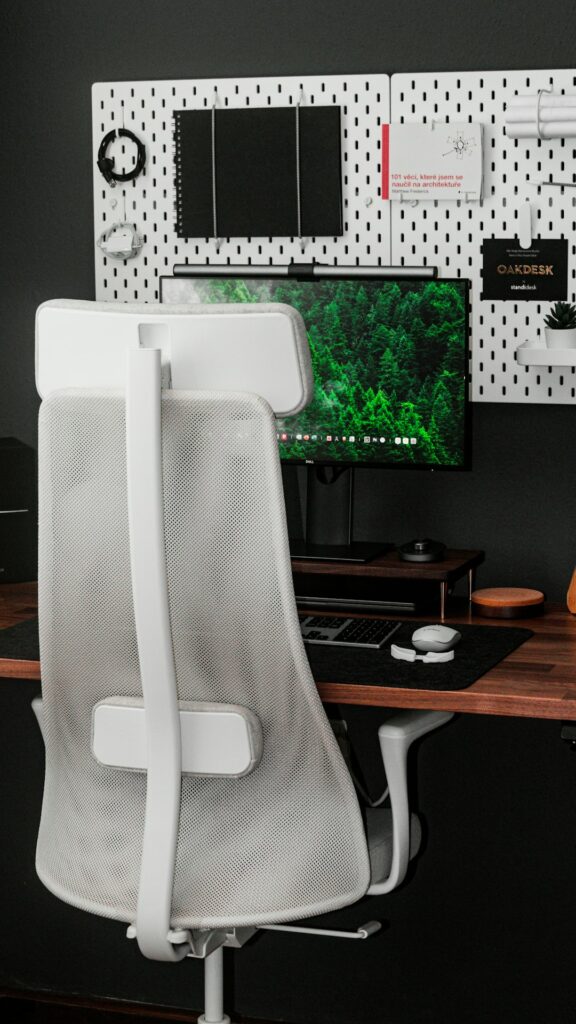
Sitting at a desk for several hours can contribute to neck stiffness, shoulder tension, low back discomfort, headaches, and hand or wrist symptoms. The solution is rarely a single “perfect” posture. More often, comfort improves when the workstation supports a neutral position and the body gets frequent opportunities to move.
For office workers in Buffalo, seasonal routines can make this especially relevant. Cold weather may lead to more time indoors, while remote work, long commutes, and compact home workspaces can increase the amount of time spent in one position.
What is the healthiest sitting position for desk work?
The healthiest position is one that keeps the head, spine, arms, and legs supported without forcing the body to remain rigid. A comfortable seated setup generally includes:
- Feet resting flat on the floor or on a footrest
- Knees roughly level with or slightly lower than the hips
- Lower back supported by the chair
- Shoulders relaxed rather than lifted or rounded
- Elbows close to the body
- Wrists mostly straight while typing
- Head balanced over the torso instead of pushed forward
Posture naturally changes during the day. Trying to hold a stiff, upright pose for hours can create its own strain. A better goal is to reduce prolonged slouching, leaning, twisting, and reaching while changing position regularly.
How should a monitor, keyboard, and mouse be arranged?
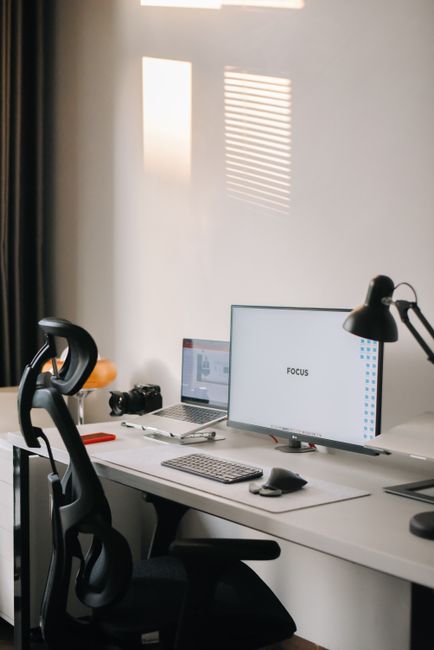
Workstation placement can reduce unnecessary strain on the neck, shoulders, wrists, and upper back. The monitor should sit directly in front of the body rather than off to one side. Its top edge is generally best at or slightly below eye level, allowing the eyes to look forward without repeatedly tilting the chin upward or downward.
Position the screen far enough away that text can be read without leaning forward. Increasing the text size is often more helpful than moving the monitor closer.
The keyboard and mouse should be near enough that the elbows remain close to the sides. The forearms should be approximately level with the keyboard, and the wrists should not be bent upward, downward, or sideways. If the desk is too high, raising the chair may help, but the feet should still be supported. A footrest can prevent the legs from dangling.
A laptop creates a common ergonomic problem because its screen and keyboard are attached. Raising the screen to a comfortable viewing height may force the hands into an awkward position. For longer work sessions, a separate keyboard and pointing device can allow the screen and hands to be positioned independently.
How often should office workers take movement breaks?
Frequent short movement breaks are usually more practical than waiting for significant pain to develop. A brief pause every 30 to 60 minutes can interrupt prolonged sitting and give the eyes, muscles, and joints a chance to recover.
A movement break does not need to be elaborate. Stand up, walk to another room, refill water, look away from the screen, or perform a few gentle shoulder movements. For computer-heavy work, a five-minute pause from computer tasks each hour can be useful when the job allows it.
Helpful habits include:
- Standing during some phone calls
- Alternating typing with reading or other tasks
- Walking briefly after long meetings
- Using reminders to change position
- Avoiding meals at the desk when possible
- Moving the whole body rather than only stretching the painful area
The goal is not to eliminate sitting completely. It is to avoid uninterrupted sitting for most of the workday.
Which stretches can ease desk-related tension?
Gentle movement may help with stiffness, particularly after periods of concentration or static posture. Stretches should feel mild and controlled, not sharp, forceful, or painful.
Examples include:
- Slowly turning the head from side to side
- Drawing the chin gently backward without looking down
- Rolling the shoulders backward
- Opening the chest by bringing the arms gently behind the body
- Extending one leg at a time while seated
- Standing and reaching the arms overhead
- Taking a short walk while allowing the arms to swing naturally
Hold a comfortable stretch for several breaths rather than bouncing or forcing a joint farther. If a movement causes tingling, numbness, weakness, dizziness, or increasing pain, stop that movement.
Can poor desk posture cause headaches?
It can contribute to some tension-type headaches, especially when the neck and shoulder muscles remain contracted for long periods. A monitor that is too low, too high, or positioned to one side may encourage repeated bending or rotation of the neck. Squinting, glare, inadequate lighting, and prolonged screen focus can add to the problem.
Check whether headaches are more likely after long computer sessions, stressful meetings, or days with little movement. Adjusting the screen, improving lighting, relaxing the jaw, and taking visual breaks may help.
Headaches that are sudden, unusually severe, accompanied by neurological symptoms, or different from a person’s usual pattern require prompt medical evaluation rather than self-treatment.
What should office workers do about back pain?
Mild, occasional discomfort often responds to changing positions, walking, improving chair support, and temporarily reducing aggravating activities. Sitting with the lower back supported may be more comfortable than perching on the edge of the chair. However, prolonged bed rest is generally not a useful response to ordinary back stiffness.
A useful workstation check includes:
- Is the chair supporting the lower back?
- Are the feet stable?
- Is the screen directly ahead?
- Are frequently used items within easy reach?
- Is twisting necessary to answer a phone or reach paperwork?
- Does the desk edge press into the forearms or legs?
- Does discomfort increase after long periods without movement?
Back pain accompanied by progressive weakness, significant numbness, loss of bladder or bowel control, fever, unexplained weight loss, or a major injury needs timely medical attention. Persistent pain that interferes with sleep, walking, or ordinary activities also deserves an individualized evaluation.
Are chiropractic adjustments necessary for office-related discomfort?
Not every desk-related problem requires an adjustment. Office discomfort may be influenced by workstation design, sleep, stress, physical conditioning, previous injuries, repetitive tasks, or medical conditions. Chiropractic care may be one part of a broader plan for some people, but it does not replace ergonomic changes, regular movement, or medical assessment when warning signs are present.
A useful approach is to identify the pattern first. Note when symptoms begin, which activities increase them, whether movement helps, and whether symptoms travel into an arm or leg. This information can help distinguish ordinary postural fatigue from a problem that needs further assessment.
How can Buffalo workers adapt during colder months?
Winter conditions can change daily movement habits. Snow and ice may reduce outdoor walking, and remote workers may spend longer stretches indoors without the natural activity built into a commute. Short indoor walking intervals, gentle mobility exercises, and occasional standing tasks can help maintain movement.
Home work areas also deserve attention. A dining chair, couch, or bed may be convenient temporarily but can encourage rounded shoulders and unsupported low-back positions. Even without specialized equipment, a stable chair, a properly elevated screen, and a separate keyboard can create a more sustainable setup.
Symptoms should not be judged only by how uncomfortable the workday feels. Repeated numbness, weakness, loss of grip, radiating pain, or symptoms that continue despite reasonable changes are signs that self-care may not be enough.
